
How to Remove Bad Reviews from Google Business Profile (GMB)
A negative review on your Google Business Profile can affect how potential customers see your business. While not every bad review can be removed, reviews that violate Google’s policies may be reported and taken down. Understanding the right process can help protect your online reputation and maintain customer trust.
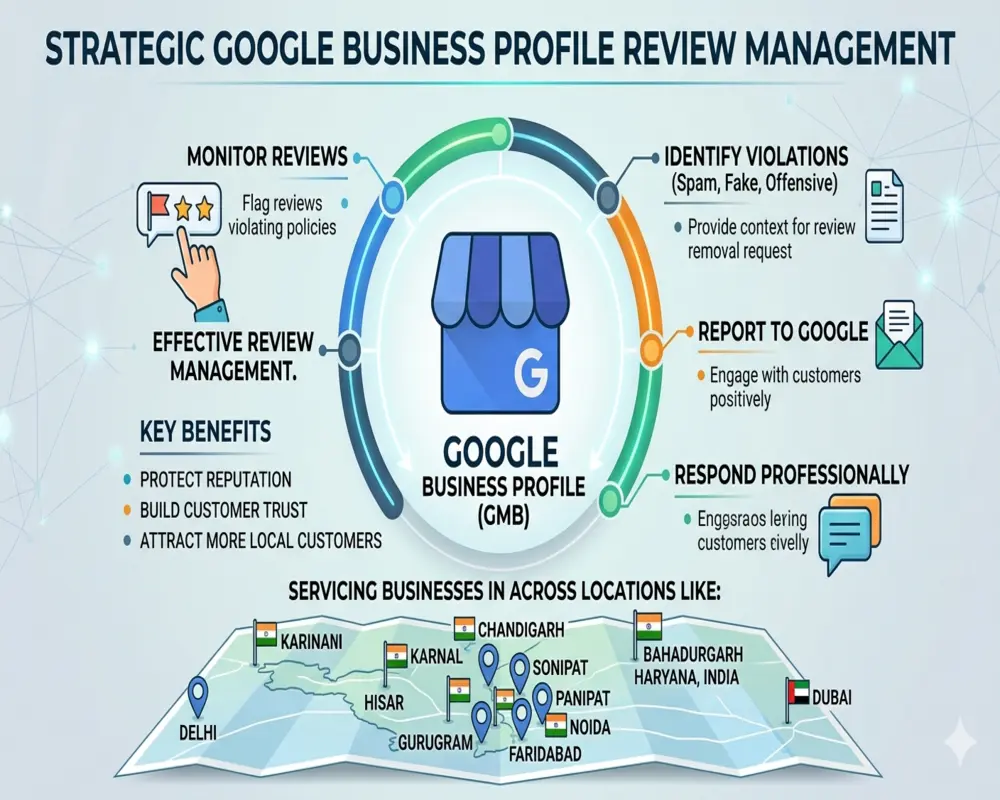
Business owners in Rohtak, Karnal, Hisar, Sonipat, Panipat, Bahadurgarh, Delhi, Noida, Faridabad, Gurugram, Chandigarh, Haryana, India, and Dubai often face challenges with fake, misleading, or spam reviews. Taking prompt action can make a significant difference.
Why Bad Reviews Matter
When customers search for your business online, Google reviews are often one of the first things they notice. A few unfair reviews can impact customer confidence and influence buying decisions.
Common issues include:
- Fake reviews posted by competitors
- Spam or irrelevant content
- Reviews containing offensive language
- Reviews from people who were never actual customers
If a review breaks Google’s review policies, you may have grounds to request its removal.
How to Remove Bad Reviews from Google Business Profile
The first step is identifying whether the review violates Google’s guidelines. Reviews that contain spam, harassment, misleading information, or conflicts of interest can often be reported for removal.
A professional review management strategy can help:
- Identify policy-violating reviews quickly
- Submit accurate removal requests
- Monitor review activity regularly
- Improve overall business reputation
It’s also important to respond professionally to legitimate negative reviews. A thoughtful response shows potential customers that your business values feedback and customer satisfaction.
Benefits of Professional Review Management
Managing negative reviews effectively offers several advantages:
- Protects your online reputation
- Builds customer trust and credibility
- Helps attract more local customers
Businesses across Gurugram, Delhi, Noida, Faridabad, Chandigarh, and other growing markets are increasingly investing in reputation management to maintain a positive digital presence.
Get Expert Help with GMB Review Removal
If you’re struggling with fake or harmful reviews, professional assistance can save time and improve your chances of success. Every case is different, and an experienced team can help determine the best approach based on Google’s policies.
Whether your business is located in Karnal, Hisar, Sonipat, Panipat, Bahadurgarh, Delhi, Noida, Faridabad, Gurugram, Chandigarh, Haryana, India, or Dubai, taking control of your Google Business Profile is an important step toward long-term business growth.
A strong online reputation starts with accurate reviews, proactive management, and a strategy that keeps your business looking its best.
FAQ About How to Remove Bad Reviews from Google Business Profile
Q1. Can I remove bad reviews from Google Business Profile?
A. You cannot directly delete reviews, but you can report fake, spam, or policy-violating reviews to Google for removal.
Q2. How do I report a fake Google review?
A. Go to your Google Business Profile, find the review, click the three dots, and select “Report review” to submit it for review.
Q3. How long does Google take to remove a review?
A. It usually takes a few days to a couple of weeks depending on Google’s review process and case complexity.
Q4. What types of reviews does Google remove?
A. Google removes spam, fake content, offensive language, conflicts of interest, and policy-violating reviews.
Q5. Can I respond to negative reviews instead of removing them?
A. Yes, replying professionally to negative reviews helps improve trust and shows good customer service.
Q6. How can I protect my business from bad reviews?
A. Focus on good customer service, request genuine reviews, and regularly monitor your Google Business Profile.
Q7. What should I do if a fake review is not removed?
A. You can escalate the issue through Google support or gather evidence and request re-evaluation.